API integrations power your business behind the scenes. At Studio Ubique, we use REST, GraphQL, and custom solutions to connect your software, sync your data, and automate what you shouldn’t be doing manually.
From CRMs to ecommerce platforms and payment providers, we build fast, secure integrations that grow with you. Your tools should work together, not against you.






We connect the tools you copy-paste between, so data moves on its own and your team stops being the integration layer.
We assess your data patterns and team setup, then give a clear recommendation, REST or GraphQL, with the reasoning in plain language.

We build reliable connections and monitor endpoints after launch, so a third-party outage becomes an alert, not a surprise.

average session length, up 61%
Resay: custom web application for smarter workflows
less time spent on web updates each year
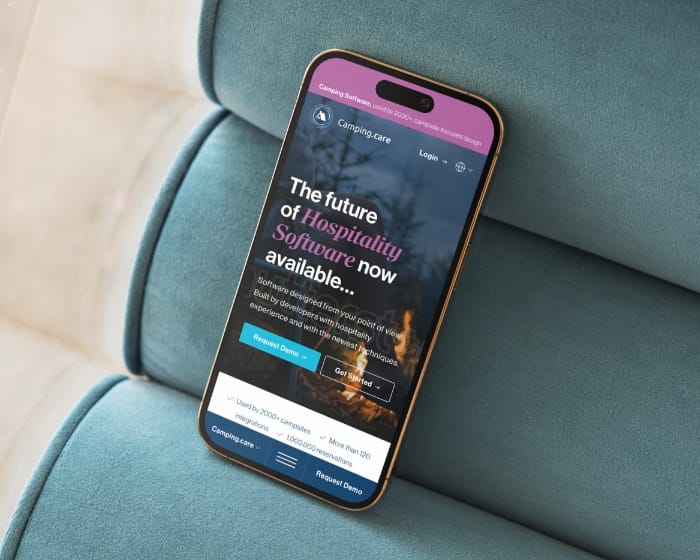
WordPress multisite for camping reservation software

increase in monthly website visits
Book subscription website design and custom development for House of Books
more form submissions in mobile view
Design support for SaaS accelerator WiseGuysTech
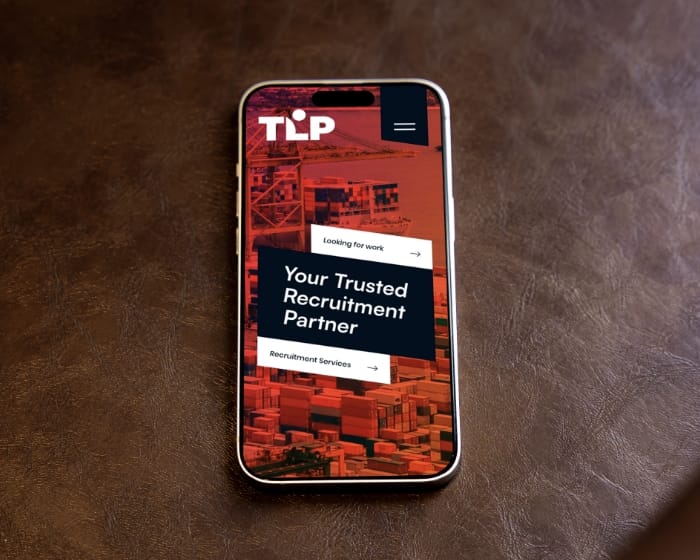
longer time spent on job detail pages
Recruitment website design with ATS integration for staffing agencies
Studio Ubique connects your apps with API architecture that matches your tech stack, business logic, and user flow. The goal is modular: connections you can change later without the whole thing breaking.
01
We document how your systems currently connect, or do not. Then we define what needs to talk to what, when, and why. The map usually surfaces two or three connections nobody knew were missing.
02
We evaluate REST vs GraphQL and other approaches based on the complexity, data volume, and how your internal teams will use the connection. You’ll get clear, non-technical advice before we write code.
03
We create clean, modular connections with built-in authentication, logging, and throttling. Secure API integration starts here, whether we’re connecting a payment provider or a custom CMS.
04
We simulate bad data, network failures, expired tokens, you name it. API testing is critical to your system’s reliability, especially with third-party platforms that like to break at 2AM.
05
After launch, we monitor endpoints, catch errors before they become issues, and adjust as you grow, through Care, Growth, or Partnership packages. APIs change on the provider’s schedule, not yours, so monitoring is not optional.
FlevoDirect, University of Twente (UT), VIA Sports Experiences, Sokkies. And a few hundred other companies you might not know, but which have certainly been well served. That, on reflection, is the whole story.







Studio Ubique is known for API integrations that keep businesses running smoothly. We don’t push tech for fun, we connect systems that work, scale, and stay stable under pressure.
5.0


“Studio Ubique brought our vision to life with skill, passion, and precision, our website now truly reflects the soul of House of Books.”
5.0

“Project meets my expectations, good communication with the designer.”
5.0

“Studio Ubique revamped our brewery site with stunning UX/UI. Engagement, speed, and mobile retention soared, plus they nailed the brief on time, on budget, and with true creative flair.”
5.0

“From rebranding to web design, Studio Ubique has been a key partner, proactive, efficient, and always exceeding expectations with clear, seamless communication.”
5.0
“Studio Ubique exceeds expectations every time, clear communication, creative solutions, and reliable delivery make them a trusted, long-term partner for web, design, and branding projects.”
5.0
“Studio Ubique crafted our brand, website, and booking system with standout design, smooth communication, and great value, helping UpNailz shine online and grow with confidence.”
The questions that come up most often, answered here. Yours not among them? Just ask, there's a human on the other end.
Depends on the number of systems and how cooperative their APIs are. A single integration between two systems with documented, modern REST APIs (for example connecting a CRM to an email platform): €4.000 to €10.000. A multi-system integration project, connecting 3 to 6 tools with data syncing, authentication, and error handling: €10.000 to €25.000. A full integration layer, a central hub that connects many systems with monitoring, retry logic, and an admin dashboard: €25.000 to €60.000+. The cost variable that surprises clients: the quality of the third-party API matters more than the number of integrations. A well-documented modern API takes a fraction of the time a legacy SOAP API or an undocumented internal system does. Hourly rates run €60 to €65. Our pricing page covers the broader rate structure.
Typical timelines. A single integration between two systems with good APIs: 1 to 3 weeks. A multi-system project connecting 3 to 6 tools: 4 to 8 weeks. A full integration layer with monitoring and an admin dashboard: 8 to 16 weeks. The variable that surprises clients: waiting on third-party API access. Getting production API credentials, sandbox access, and the right permission scopes from a third-party provider can take days or weeks depending on the provider, and that calendar time cannot be compressed by working harder. We start credential requests on day one so they run in parallel with the rest of the work. Our process page covers project structure across services.
Both, picked per project. REST is the established standard: resource-based URLs, predictable structure, HTTP-level caching, and almost every third-party platform exposes a REST API. REST fits when the integration consumes existing third-party APIs (you usually do not get a choice, the provider decides), when caching at the HTTP level matters, and when the data needs are straightforward. GraphQL lets the client request exactly the data it needs in one query, which fits when an application has varied data requirements across different screens, when over-fetching or under-fetching with REST is causing performance problems, or when building an API for diverse clients (web, mobile, third-party). GraphQL adds complexity around query design, caching, and rate limiting. For most integration projects connecting to third-party services, REST is what you work with because the provider already chose it. For a custom API that Studio Ubique builds from scratch, the REST versus GraphQL decision happens in step 02 of the process, based on the actual client and data patterns rather than fashion.
This is the main reason API integrations need ongoing attention rather than a build-and-forget approach. Third-party APIs change on the provider’s schedule: they deprecate old versions, add required fields, change authentication, adjust rate limits, or have unplanned outages. A well-built integration handles this in layers. First, defensive coding: the integration validates responses and fails gracefully instead of crashing when data arrives in an unexpected shape. Second, retry logic with exponential backoff for transient failures, so a brief outage self-heals without anyone noticing. Third, monitoring and alerting, so when something does break for real, the operations team gets an alert rather than a customer complaint. Fourth, a logged audit trail, so diagnosing what went wrong takes minutes not days. For breaking changes that need code updates (a provider deprecating an API version), ongoing support through Care, Growth, or Partnership packages covers the work. The integrations Studio Ubique builds are designed so a third-party problem becomes a managed alert, not a silent failure that surfaces three weeks later in a billing discrepancy.
Usually yes, though it takes more discovery time than a modern API. Legacy systems come in a few flavours. Some expose an old but functional API (SOAP, XML-RPC, or an early REST API), which works but requires more careful handling than a modern API. Some have no real API and integration happens through a database connection, file exports and imports, or in difficult cases screen scraping as a last resort. Some are commercial systems where the vendor offers an API only on a higher pricing tier, which is a commercial decision worth checking before assuming integration is a technical problem. The honest part: integrating with a legacy system is often less about coding skill and more about archaeology, figuring out undocumented behaviour, asking the people who have used the system for years, and testing carefully because legacy systems often have surprising side effects. We scope legacy integrations with a discovery phase first, so the real complexity is understood before anyone commits to a fixed price. If a system genuinely cannot be integrated cleanly, we will say so rather than building something fragile.
Both. Connecting existing APIs is the more common request: linking a CRM, a payment provider, an email platform, an eCommerce system, and similar tools so data flows between them. Building custom APIs is the other half of the work: when a Studio Ubique-built application needs to expose its own API, either for a client’s mobile app, for third-party partners to integrate with, or for internal systems to communicate. Custom API development covers REST or GraphQL endpoint design, authentication (API keys, OAuth, JWT), documentation (OpenAPI or GraphQL schema), versioning strategy, and rate limiting. Custom API work often pairs with the web application or custom software projects Studio Ubique builds, the API is the layer that lets the platform connect to everything else. Whether the project needs an integration with existing systems, a custom API, or both, the discovery phase maps it out before development starts. Custom API development is also covered on the custom software development page.
Contact
Not everyone likes to write. Rather talk to someone first? Book a 30 to 45 minute intro call through Calendly. It's free, and by the end you'll know whether a proposal makes sense.
Book a call(opens in a new tab)Tell us what's stuck, what you want to build, or what needs fixing. We usually reply within 1-2 business days.