A well-built CMS pays for itself in three places: content rollout time, developer dependency, and performance under load. We build CMS systems around how your team actually works. WordPress, headless, custom, or whichever combination genuinely fits.


Five areas where CMS development moves the dial: editor experience, scalability, performance, integrations, and the ability to add things later without a rebuild.ws you down.

Every business is different, so we don’t fit your operation around someone else’s template. Content models built around how you actually create, review and publish, with a stack picked for the project (WordPress, headless, or fully custom).

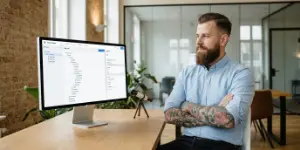
Publishing should be easy. Editor views that anyone can use without breaking layouts or pinging a developer on Slack. The same setup handles new pages, products and languages later without the admin turning into a maze.

Caching, clean code, stable hosting. Pages load in seconds, not sighs (that line stays because it’s true). Security updates run on a schedule, role-based access control keeps editors out of admin-only areas without making the day-to-day harder.

Your CMS should talk to your other tools. We connect it to CRMs, marketing automation, payment providers, booking systems, ERP, whatever your stack actually includes. Manual copy-paste between systems is a sign of integration missed, not integration impossible.
Content models built for what you’ll need in two years, not just what you need in week one. New sections, new languages, new sites on the same backbone, adding them shouldn’t trigger a rebuild proposal.
languages from day one
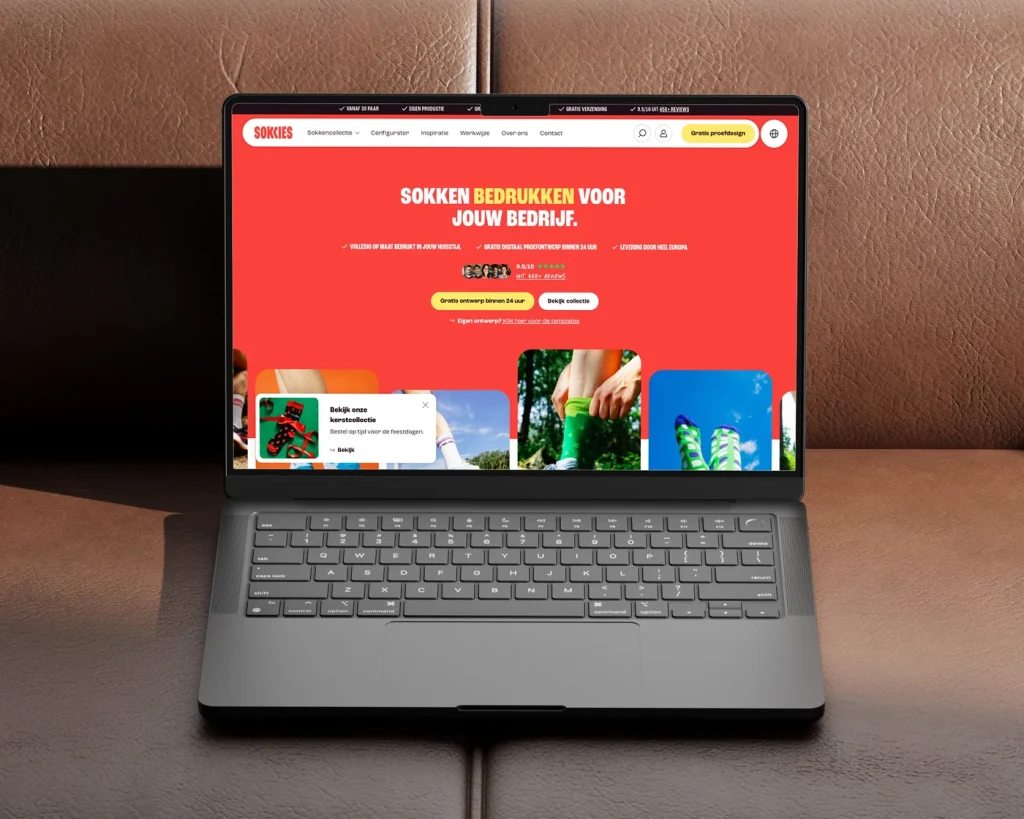
Webshop for custom printed socks, without a checkout
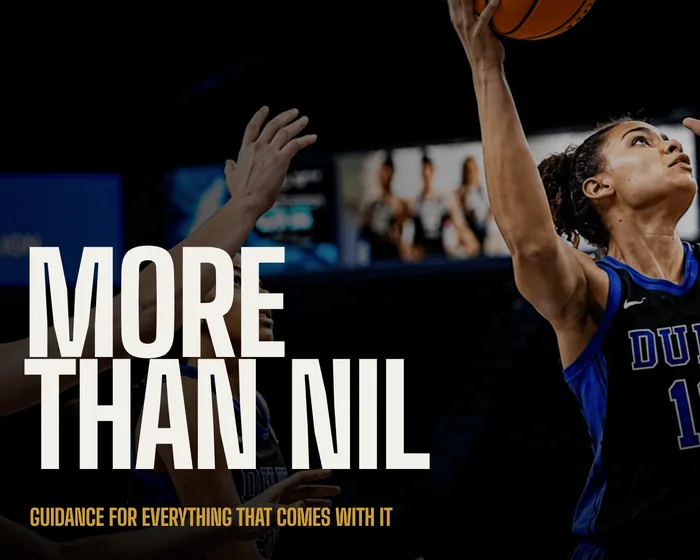
days ahead of a key player event
Athlete management agency website for women’s basketball
organic traffic grow in 3 months
Custom B2B WordPress website for Pine Tree Lane
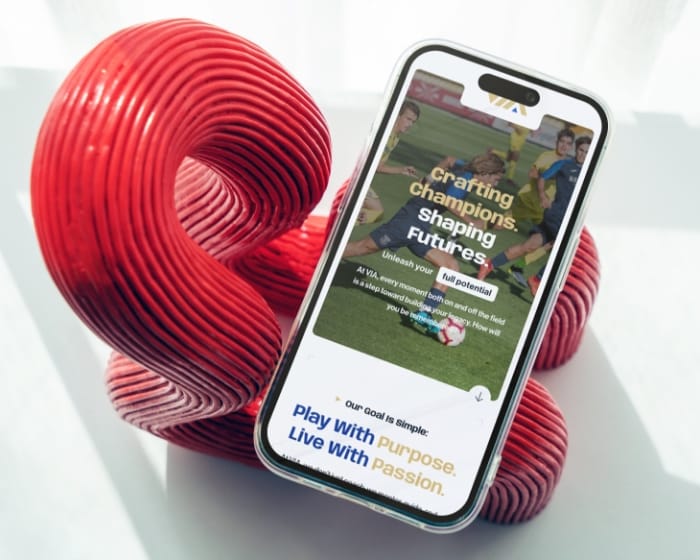
more user engagement after redesign
Sports travel website design and WordPress development for Via Sports Experiences
less time spent on web updates each year
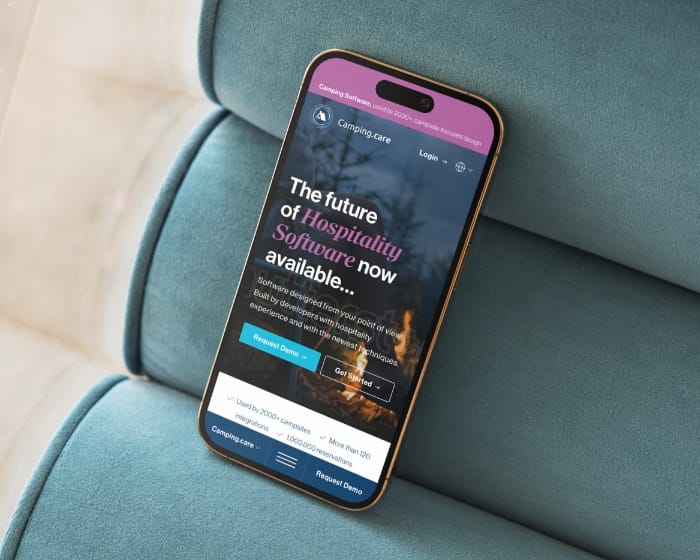
WordPress multisite for camping reservation software
bounce rate & session duration x3 post-live.
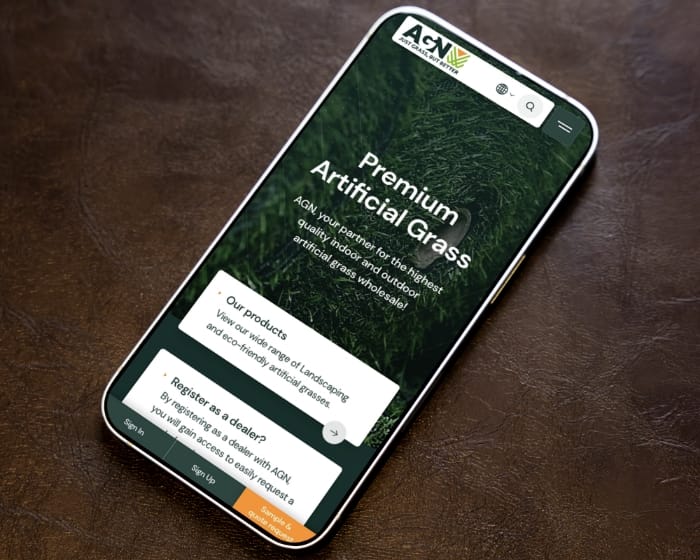
B2B artificial grass eCommerce WordPress UX design and development for AGN
Four CMS options we work with regularly, with the trade-offs each one actually involves. The right CMS depends on your content, your team, and what you’ll be doing in two years.
Most popular CMS, deepest plugin ecosystem


eCommerce on WordPress, full ownership
Hosted eCommerce, minimal ops burden
Built from scratch when nothing fits
At Studio Ubique, we follow a well-structured yet adaptable process to deliver user-focused, impactful solutions. Here’s how we approach each project:
01
A week of conversation: what content you publish, who publishes it, what they hate about the current setup, and what the business actually needs the CMS to handle. We come out with a roadmap, not a vision board.
02
Content audit (what types of content you have, what types you’ll add), taxonomy mapping, role and permission requirements, integration inventory. The output is a content model specification, not a design moodboard.
03
Frontend wireframes for what visitors see, plus admin wireframes for what editors see. The editor view gets as much design attention as the public-facing site, because if editors fight the CMS, content goes out worse, slower, or not at all.
04
Build phase. CMS configured, content types created, custom fields built, integrations wired, editor permissions set. Migration from your existing CMS happens here, with content moved and URLs redirected. You get a staging environment to test before launch.
05
Launch, then two weeks of close monitoring with hotfix capacity. After that, ongoing support on a monthly retainer or hours-based: new content types as your needs evolve, security patches, plugin reviews, performance tuning. CMS work doesn’t end at launch, it just changes shape.
Studio Ubique works with startups, agencies, and mid-sized companies who want their product to work better than their competitors’ excuses. Since 2012, with clients across 15+ countries.
5.0


“Studio Ubique brought our vision to life with skill, passion, and precision, our website now truly reflects the soul of House of Books.”
5.0

“Project meets my expectations, good communication with the designer.”
5.0

“Studio Ubique revamped our brewery site with stunning UX/UI. Engagement, speed, and mobile retention soared, plus they nailed the brief on time, on budget, and with true creative flair.”
5.0
“Simply outstanding. I am blown away by the not only the design expertise, but also the site functionality. Worth every dollar, and I will be coming back for more business. Do not look further - you found your developer here.”
5.0

“Fastest time ever for a premium website. Willing to make changes, always friendly and helpful - 100% recommend for start-ups and large businesses alike.”
5.0
“Great ideas, smooth communication, and a pleasure to work with, Studio Ubique made building our new website a seamless, collaborative process.”
5.0
“Creative, skilled, and budget-conscious, Studio Ubique perfectly translated our vision with care, precision, and a truly personal touch. We used to post and pray. Their paid social and landing pages now bring real sales, not just likes. Clear plan, quick execution.”
5.0
“From rebranding to web design, Studio Ubique has been a key partner, proactive, efficient, and always exceeding expectations with clear, seamless communication.”
5.0
“Studio Ubique understood our vision, responded fast to feedback, and kept the AGN website redesign smooth and efficient. A seamless, goal-driven collaboration from start to finish.”
5.0
“Studio Ubique exceeds expectations every time, clear communication, creative solutions, and reliable delivery make them a trusted, long-term partner for web, design, and branding projects.”
5.0
“Studio Ubique crafted our brand, website, and booking system with standout design, smooth communication, and great value, helping UpNailz shine online and grow with confidence.”
The questions that come up most often, answered here. Yours not among them? Just ask, there's a human on the other end.
CMS development is building or customising a content management system around how your team actually works: content models, editor workflows, role permissions, integrations, performance optimisation, and migration from whatever you’re on now. “Installing WordPress” is one entry point. CMS development is everything that comes after that point if you have requirements beyond a basic blog.
The spectrum runs from a themed WordPress install (lowest cost, fastest, least flexible) through custom blocks and content types (mid-cost, most popular) through headless implementations and fully custom builds (highest cost, most flexible). Our development service covers the full range with the stack picked per project.
Three rough rules. WordPress (or WooCommerce, Shopify) when your content is mostly conventional pages, posts, products and landing pages with no unusual editorial workflows. Headless when you need to publish the same content to a website, mobile app, digital signage or other channels from one source. Fully custom when neither fits without major compromises (regulated content, complex permissions, deep custom workflows that no existing CMS handles well).
WordPress handles roughly 80% of the projects we see, headless picks up most of the rest, fully custom is a small but real slice. Custom platform work covers what happens when off-the-shelf CMSes genuinely don’t fit.
A headless CMS separates content storage and management from the front end that displays it. You manage content in one place (Contentful, Sanity, Strapi, Storyblok, or WordPress used as headless) and publish through APIs to whatever needs the content: website, mobile app, digital signage, voice interface. The “head” (the front end) is decoupled from the “body” (the content backend).
Makes sense when you have multiple front ends, when developers want full control over the frontend stack (Next.js, Nuxt, SvelteKit), or when content needs to be reused across channels. Overkill when you have one website, one editor team, and no plan to add channels. Frontend development work covers the decoupled-frontend side of headless builds.
Four to eight weeks for a standard WordPress build with custom content models, editor workflows and a few integrations. Eight to sixteen weeks for headless implementations or heavily customised CMS setups with multiple content types and a custom front end. Larger builds with complex permissions, multi-site, multi-language and integration-heavy stacks run three to six months.
Migration timing adds on top of the build: simple content migration takes a week, complex multi-language and structured-data migration runs three to six weeks depending on the source CMS. Recent CMS project work shows how the timelines play out in practice across WordPress and WordPress multisite builds.
Yes, that’s most of the migration work, actually. Content gets moved with redirect mapping for every changed URL, structured data preserved or rebuilt, hreflang tags maintained for multilingual sites, sitemap regenerated, internal linking re-pointed, and meta tags carried across. We work from a pre-migration crawl, then validate against it post-launch to catch what slipped.
Most migrations we run are from older WordPress installs, Drupal, Joomla or homegrown CMSes that grew beyond their original brief. Our agency page covers how we handle complex projects, including migrations that need to keep an existing site live until launch day.
Pricing is scope-based, not menu-based. Standard WordPress builds with custom content models and editor workflows sit between €5,000 and €25,000. Headless implementations with multiple content types, integrations and a custom front end run €25,000 to €80,000+. Enterprise-grade builds with complex permissions, multi-site and multi-language reach €100,000+. Our hourly rate is €60 to €65 across roles, NL and India team combined.
Cost drivers, in order: number of unique content types, number of integrations, depth of role and permission requirements, and how custom the front end is. A short discovery call gives you a scoped range within a few days, with what’s in scope and what’s specifically left out.
Two options. A monthly retainer with allocated hours for ongoing work (new content types, integration updates, security patches, plugin reviews, performance tuning), or hours-based ad-hoc. Most CMS projects move to a retainer because content models keep evolving and that work clusters into regular batches rather than emergencies.
Our website support packages (Care, Growth, Partnership) cover the support and uptime side, with feature development billed on top when scope requires it. Maintenance and ongoing support work covers what’s included in each tier.
Contact
Not everyone likes to write. Rather talk to someone first? Book a 30 to 45 minute intro call through Calendly. It's free, and by the end you'll know whether a proposal makes sense.
Book a call(opens in a new tab)Tell us what's stuck, what you want to build, or what needs fixing. We usually reply within 1-2 business days.