Mobile app design isn’t about screens that look pretty in dribbble shots. It’s about whether someone uses the app twice, finds the feature they came for, and doesn’t go back to the App Store to check if there’s something better. We design apps for iOS, Android and progressive web with that test in mind.

We design mobile apps for iOS, Android and progressive web. Some clients hand off our designs to their own developers; others ask us to build the app too. The five areas below cover what actually moves the needle once the app ships.

We map flows that feel native to iOS, Android and progressive web. The point isn’t that every screen looks pretty in isolation, it’s that the path from opening the app to completing a task is short enough that users don’t bail halfway.

CTAs that read as actions (not “Submit” on every screen), micro-interactions that confirm taps without slowing them down, onboarding that doesn’t ask for credentials before the user knows what the app is for. The details that decide whether installs become weekly active users.

Clickable prototypes in Figma before any code gets written. Where it’s useful, we test the flows with real users on real devices, not just clicked through in a browser. Issues surface during design, not after launch.

Specs that developers can actually implement: component libraries, design tokens for spacing/typography/colour, exported assets in the right formats, animation specs where needed. Whether your dev team uses Swift, Kotlin, React Native or Flutter, they get what they need without a Slack thread for every measurement.

Design systems built as reusable components with documented states, variants and usage rules. Your brand stays consistent across mobile, tablet and progressive web. The fifth screen designed in month six takes a fraction of the time the first one took, because the building blocks already exist.

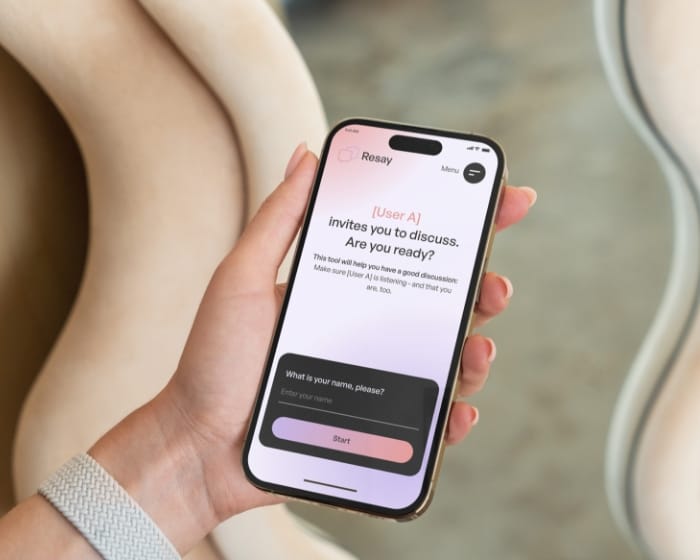
months from idea to working platform
Resay: custom web application for smarter workflows

months from kickoff to UX hand-off
Luxury chocolate eCommerce UX/UI design for Elly Seidl

months of design and development
Story-driven community platform UX/UI design for My True Stories

month for the app UX/UI design
Kayo: UX/UI design case study for a GPS tracking mobile app
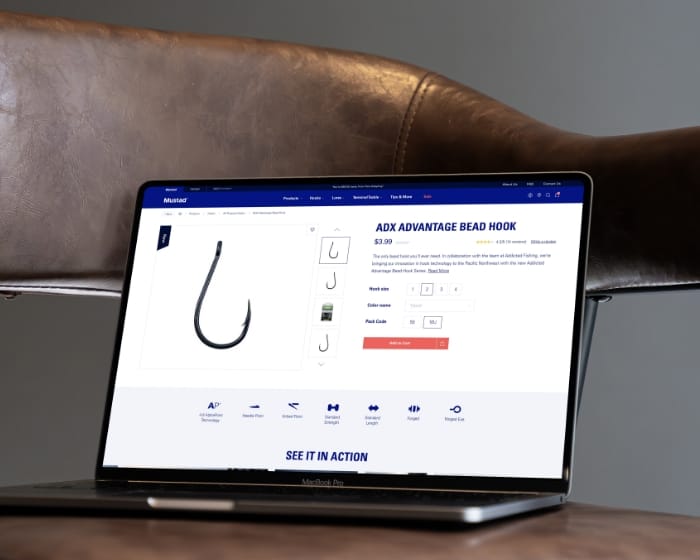
weeks for the webshop design
Mustad Fishing multibrand eCommerce website design
Six steps, from the first call to support after handoff. Here's how we approach each project:
01
A first call to understand the app’s goal: which user problem it solves, who’s competing for the same attention, what success looks like measured in installs, retention or revenue. We come back with a creative direction that maps those answers onto the design phase.
02
We study your users (interviews where possible, analytics where available), look at how competitors solve the same problem, and decide on the right platform mix: iOS only, Android only, both natively, cross-platform with React Native or Flutter, or progressive web. The platform decision often shapes the design constraints from week one.
03
Wireframes for every key screen and flow. Low-fidelity first (so the structure gets debated without people getting distracted by colours), then medium-fidelity once the flows are agreed. The output is a clickable skeleton that lets you experience the app before any visual design exists.
04
Once wireframes are approved, we move to high-fidelity UI design in Figma. Brand-consistent components, accessible colour contrasts, type scales that work on small screens. Interactive prototypes in Figma let you (and, where useful, real users) walk through the app before development starts.
05
After a final review and any tweaks, we prepare everything for development: organised Figma files, style guides, design tokens, component documentation, and developer notes on edge cases. The handover works whether it goes to your in-house team, a third-party dev shop, or our own development team.
06
We stay available during development to answer questions, adjust designs when developers hit edge cases that weren’t covered in the spec, and tweak details as the product gets real. Usually runs as a small retainer or hourly billing rather than a separate project phase.
Studio Ubique has been designing digital products since 2012. Among the apps and digital products in our case work: Kayo (GPS tracking app), My True Stories (community platform), Elly Seidl (luxury chocolate eCommerce UI), Resay (custom web application). The pattern: design that respects the user’s time and the developer’s reality.
5.0

“Studio Ubique did a truly outstanding job on our web design project. … Studio Ubique was outstanding to work with in every way and we're 100.00% pleased with our website design. Absolutely the highest recommendation.”
5.0

“Simply outstanding. … Worth every dollar, and I will be coming back for more business. Do not look further - you found your developer here.”
5.0
“Studio Ubique had great ideas throughout the process, for the design as well as functionality. They are very easy to communicate with and are happy to accommodate any requests you have. They are really a pleasure to work with.”
5.0
“Impressed by Studio Ubique's expertise and reputation, we made the decision to entrust them with the project. The outcome of our initial collaboration was immensely successful, prompting us to extend our collaboration to encompass additional projects.”
5.0

“I've been thoroughly impressed with their products.”
5.0
“They were easy to reach and quickly resolved any issues.”
The questions that come up most often, answered here. Yours not among them? Just ask, there's a human on the other end.
Mobile app design from Studio Ubique covers UX research, user flow mapping, wireframes, high-fidelity UI design, interactive prototypes, and a design system with reusable components. The output is a complete design package that’s ready to hand off to developers, whether that’s your in-house team, a third-party dev shop, or our own developers.
We design in Figma. Deliverables include organised design files, style guides, design tokens (spacing, typography, colour), exported assets in the right formats for iOS and Android, plus developer notes on edge cases and animation specifications. Mobile app design sits inside our broader UX and UI design work, with the same approach: research first, then structure, then visuals.
Native (Swift for iOS, Kotlin for Android) gives the best performance, deepest platform integration, and access to device features like ARKit, background sync, or Core ML. The downside: two codebases to build and maintain. Hybrid frameworks (React Native, Flutter) let you build one codebase that targets both, with some compromise on platform-specific feel. Progressive web apps run in the browser, install like an app, and skip the App Store and Play Store entirely.
The right choice depends on what the app needs to do. If you rely on heavy device APIs, real-time camera processing, or push notifications that need to behave platform-natively, native usually wins. If feature parity across iOS and Android matters more than perfect platform feel, hybrid is faster and cheaper to maintain. If your app is primarily content or transactional and you’d rather avoid app store gatekeepers, PWA is worth considering. We design for whichever direction makes sense, often with input from your dev team on what their stack supports.
Both. Some clients hand the designs off to their own iOS and Android developers (or to a third-party dev shop they already work with) and we stay involved only for design questions during implementation. Other clients want one team for both, in which case our mobile app development team picks up the build using React Native, Flutter, or native Swift/Kotlin depending on what the project needs.
The decision usually comes down to whether you have a dev team in place that can handle mobile, and how much continuity matters between the design phase and the build phase. One-team setups reduce handoff overhead but cost more upfront. Split setups give you more flexibility on dev sourcing but require clearer documentation in the design files. We work both ways and the choice is yours, not ours.
A complete Figma file with all screens organised by flow, a design system with reusable components and documented states (default, hover where relevant, pressed, disabled, error, loading), design tokens for typography, colour and spacing, exported assets in iOS and Android specifications, and developer notes covering edge cases, animations and platform-specific behaviour. Interactive prototypes live alongside the static files for the key flows.
If your developers prefer specific handoff tools (Zeplin or Figma’s built-in inspect mode), we configure the files accordingly. For larger projects we also document the design rationale: why a specific pattern was chosen over alternatives, which competitors influenced the direction, what user research findings shaped which decisions. That documentation matters when someone new joins the team six months after launch and needs to understand why the app works the way it does.
iOS and Android have distinct design languages (Human Interface Guidelines on Apple’s side, Material Design on Google’s), and users in each ecosystem have built-in expectations about navigation, gestures, typography and motion. We respect those conventions where it matters (tab bars at the bottom on iOS, navigation drawers and FABs on Android, system fonts on both) and only break with them when the deviation serves a clear product purpose.
For cross-platform builds we usually pick one design language as the baseline (often Material because it adapts more flexibly) and adjust per platform where users will notice the difference. The alternative, building completely separate iOS and Android designs that share only a brand, doubles design hours without doubling value for most apps. We make the platform-by-platform tradeoff explicit in the design phase so it’s a decision rather than an accident.
Our hourly rate is €60-€65 across all roles (UX, UI, design management). We work with a fixed price per project, based on the number of screens, the complexity of the design system and how much user research is needed. A simple app with 10 to 15 screens is a smaller job than a complex app with 40+ screens, multiple user types and a full design system. Design plus development is a larger budget that depends on what’s being built.
Timelines for design only run from 4 weeks for a focused app design to 12 weeks for a complex project with research and prototyping rounds. Design plus development runs 3 to 6 months end to end. The biggest scope variables are user research (interviews and testing take real calendar time), number of screens and flows, and how clear the product requirements are at the start. Schedule a first call to walk through what you need.
If we’re also building the app, we move directly into development sprints with the same team. If you’re handing off to your own developers, we offer optional post-design support: an hourly retainer where designers stay available to answer implementation questions, adjust designs when edge cases come up, and review built screens before they ship.
Once the app is live, we can stay involved through ongoing maintenance and support packages: Care (4 hours per month), Growth (8 hours per month) or Partnership (16 hours per month), all with a response within 4 working hours, Monday to Friday, 08:00 to 15:00 Dutch time. Pricing starts at €240 per month. For teams shipping continuously, we also run a dedicated-developer or dedicated-designer model on a retainer basis.
Contact
Not everyone likes to write. Rather talk to someone first? Book a 30 to 45 minute intro call through Calendly. It's free, and by the end you'll know whether a proposal makes sense.
Book a first call(opens in a new tab)Tell us what's stuck, what you want to build, or what needs fixing. You talk to someone from sales and someone technical, and we reply within one working day. First a conversation, then a plan, only then a price.